Post

2 followers Follow
0
Avatar

Map Detail in Dashboard detail different from geotif output

Good day,

My name is Christian Prévost at prech070@gmail.com and I have an account with you for couple of years.

This spring, when I started the drone survey season, I observed that there is a discrepancy between the processing results visible on the ‘’Map  Detail’’   in the Dashboard,  and the same result once download as geotif file.   

You can see it in a map request under my account ''Boucher''.  Any of them all.  The Map Detail shows that a large rectangle area has been processed, and output visible, ready to be downloaded .  However, when the final geotif file is downloaded, only a small portion is  available.   It appears that only a small portion has been saved in the tif, eventhough the software did process it all.    Any explanation ?    Thanks  

BTW, no worry, photos were acquired properly à 150 feet AGL with 70-80 % overlap

Christian Prevost

Official comment

Avatar

Due to the lack overlap in your data collection much of the area was unable to be stitched using photogrammetry so the Flat Map Failover was used. To process large areas of trees like that you need to use 80% overlap or more. Only the lower portion has a 3D result. The rest can be downloaded as the Flat Map Patch GeoTiff.
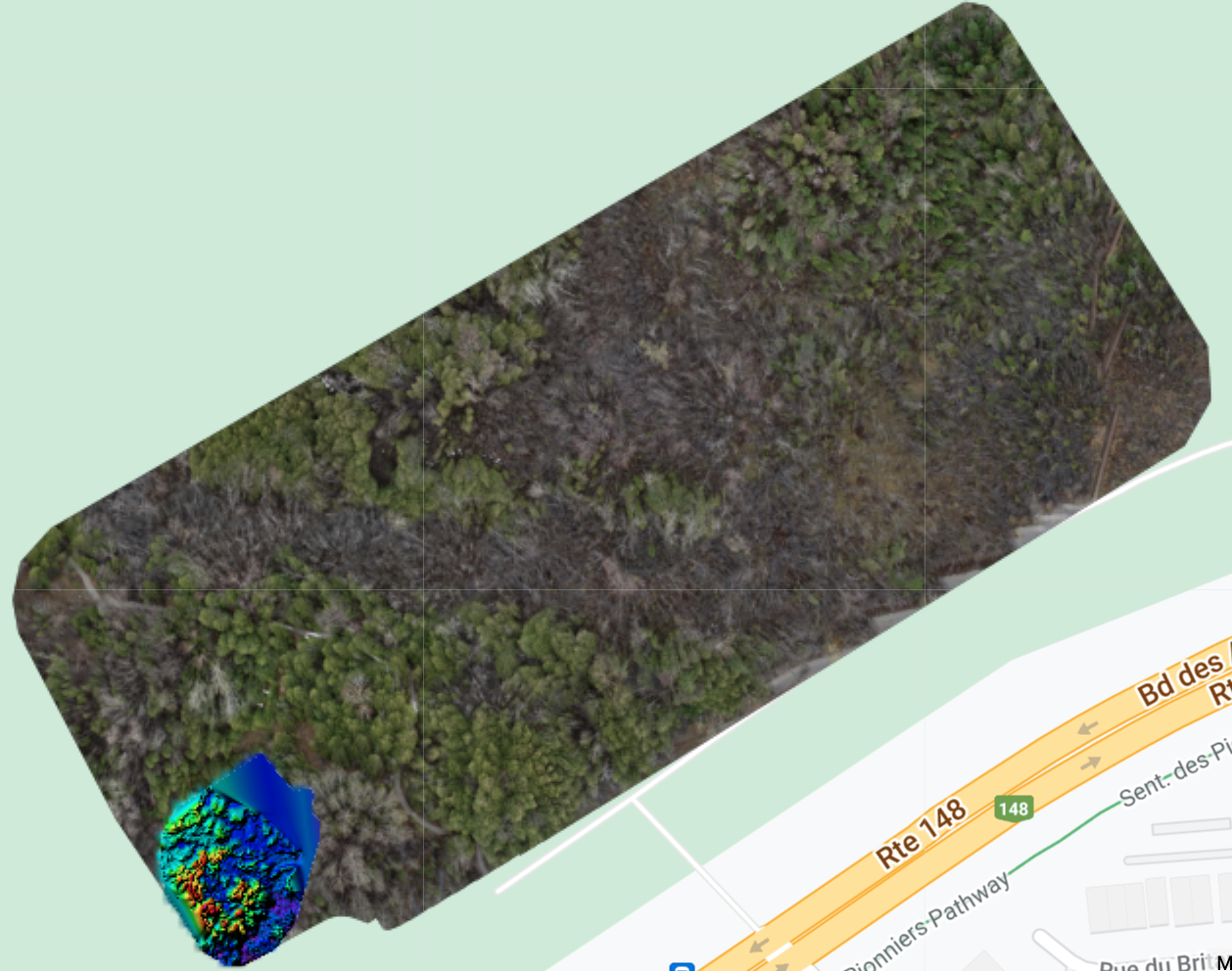
You can read more about this here:

https://support.dronesmadeeasy.com/hc/en-us/articles/360054457952-Flat-Map-Failover

https://support.dronesmadeeasy.com/hc/en-us/articles/360054461812-Flat-Maps

Zane
Comment actions Permalink

Please sign in to leave a comment.

1 comment