Post

2 followers Follow
0
Avatar

Exporting annotations..

Hi,  I am trying to export the annotations to a Google Earth file, and all I seem to be getting is the "location bubbles".  They turn into "pushpins" on Google Earth, which is fine, but I am really trying to export the area drawings and line measurements that I have made in Maps Made Easy.  Can you tell me how I can get these to show up in Google Earth?  Thanks!

Kevin Foley

Please sign in to leave a comment.

3 comments

0
Avatar

You may have to reload the page to get the KML Annotations link to have all of your most recent annotations in it.

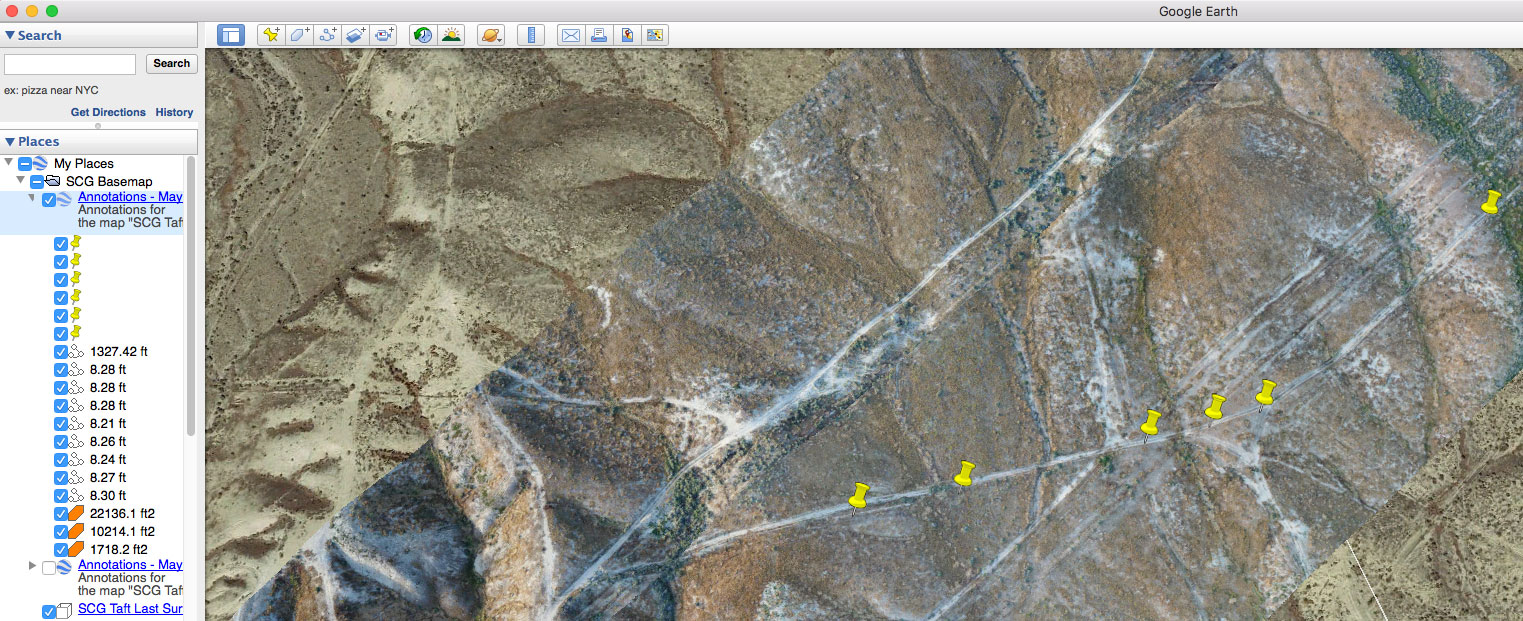
The volume and length measurements will show up in the tree on the left side of Google Earth. The KML will have the map's name and all drawn elements. The pushpins are Google's way of showing the locations of the blue markers from Maps Made Easy.

Polygons will be orange. Lines will be white.

Zane 0 votes
Comment actions Permalink
0
Avatar

Thanks for the feedback Zane.  Maybe I am doing something wrong, but I only see the pushpins.  I see the lines and area annotations in the column to the left, but they are not on the map.  Here is a screenshot:

Kevin Foley 0 votes
Comment actions Permalink
0
Avatar

Try hiding the KMZ file? The measurements are all there as you can see in the tree. You might have to adjust the elevation of them to get them to show properly but try hiding the KMZ file's surface first.

Zane 0 votes
Comment actions Permalink